
Last updated November 15, 2026
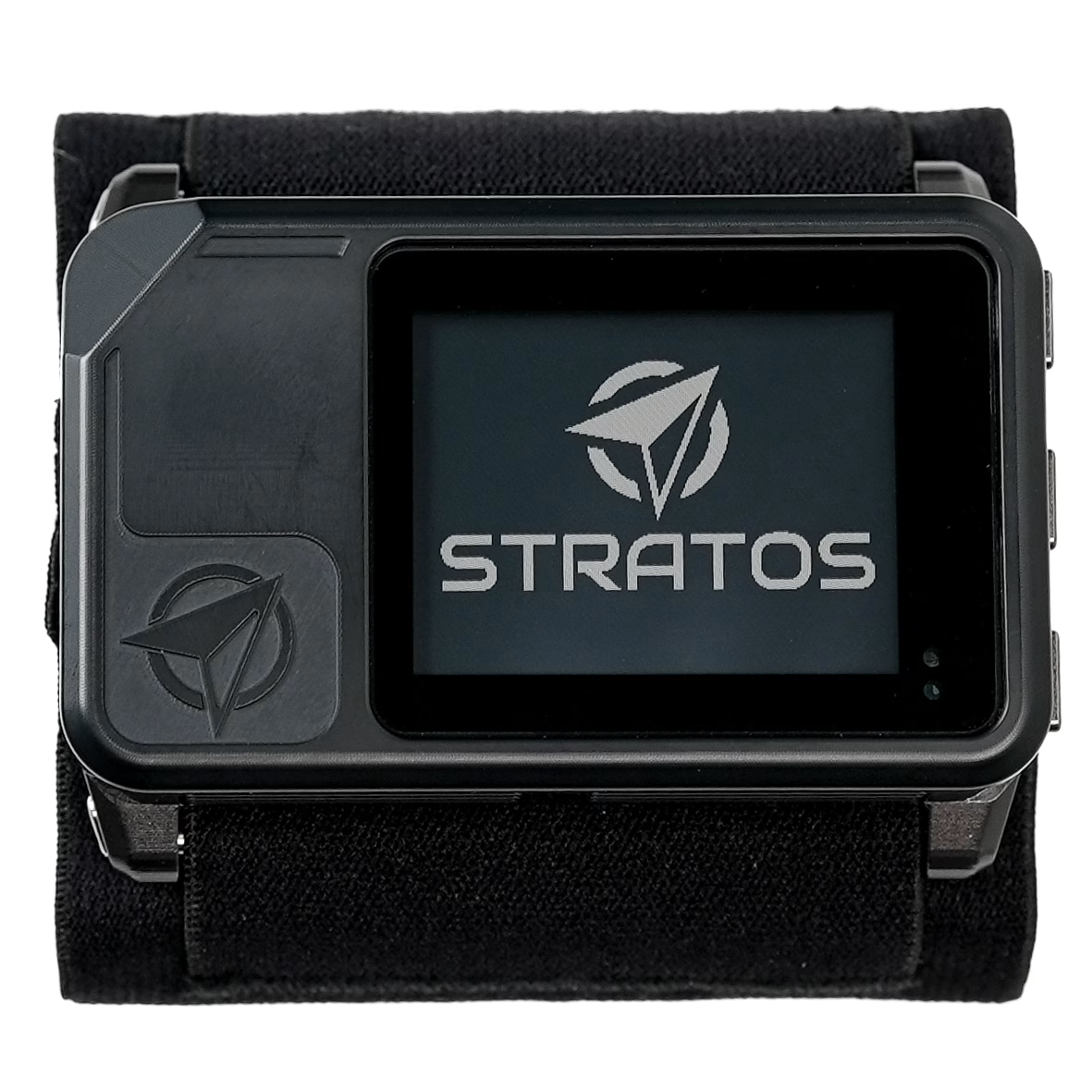
STR · SKU: DV-STR1The Stratos is a tactical GPS altimeter, designed and tested for High Altitude Low Temperature (HALT) operations. GPS assisted data includes navigation to the Desired Impact Point (DIP) and the High Altitude Release Point (HARP). Its wireless connection links it to HUD glasses, the Soundlink audible altimeter, a G-Serve GPS server in the aircraft, and the Deep and Steep app.
User Interface & Buttons #
The Stratos has three buttons on its side: up, center and down. To select a menu item, press the up or down button to move to it, and press the center button.
| Button | Action |
|---|---|
| Up / Down | Moves between the main screens |
| Center | Opens the menu of the current screen (on the Logbook screen, opens Recent Jumps) |
In the menu system #
| Button | Action |
|---|---|
| Center | Selects the highlighted item: changes its setting or opens the next menu |
| Up / Down | Moves to the next or previous menu item |
| Up (hold 1 second) | Returns to the previous screen |
| Down (hold 1 second) | Closes all menus and returns to the Home screen on the ground, or to the Altitude screen in the aircraft |
Note
The buttons are locked in freefall and under canopy. The Stratos shows only the altitude screen until it detects your landing.
Standard Operation #
Turn on the Stratos on the ground at the start of the day: press the center button. The Stratos tests the GPS and other sensors, and then calibrates itself to the current air pressure. As the air pressure changes with temperature or weather, the Stratos tracks the ground-level pressure.
When the Stratos detects the climb in the aircraft, it locks the field elevation and shows your altitude above ground level (AGL).
The Stratos may not show an altitude of 0 on the ground, for example if it was on while you drove to the airfield, or if you landed at a different elevation from your takeoff point. To reset the altitude and the field elevation, perform a forced restart.
Performing a Forced Restart #
Warning
Do not perform a forced restart in the aircraft or during a jump. The altitudes the Stratos shows will be incorrect.
A forced restart zeros the altitude at your current location.
- Hold the up and down buttons for at least 8 seconds, and release them.
- Wait while the Stratos restarts. It calibrates the field elevation to the current air pressure.
- Check that the display shows an altitude of 0.
Automatic Shutdown #
To save battery, the Stratos turns off 14 hours after you turn it on. If you are on a jump at the 14-hour mark, it waits until you are on the ground. During the last hour, the Home screen shows a countdown to the shutdown.
To turn off the Stratos, from the Home screen, press the center button, and select System → Shutdown. You can turn it off only on the ground.
Main Screens #
The Stratos has five main screens. Press the up or down button to move between them. Each screen has its own menu; press the center button to open it. The Stratos Menu Map lists every menu item.
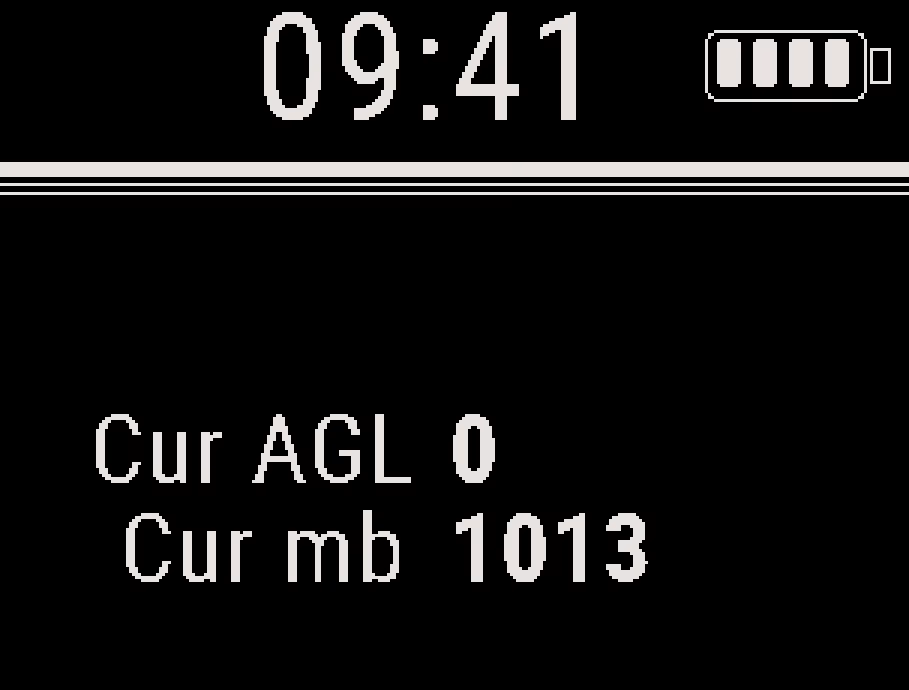
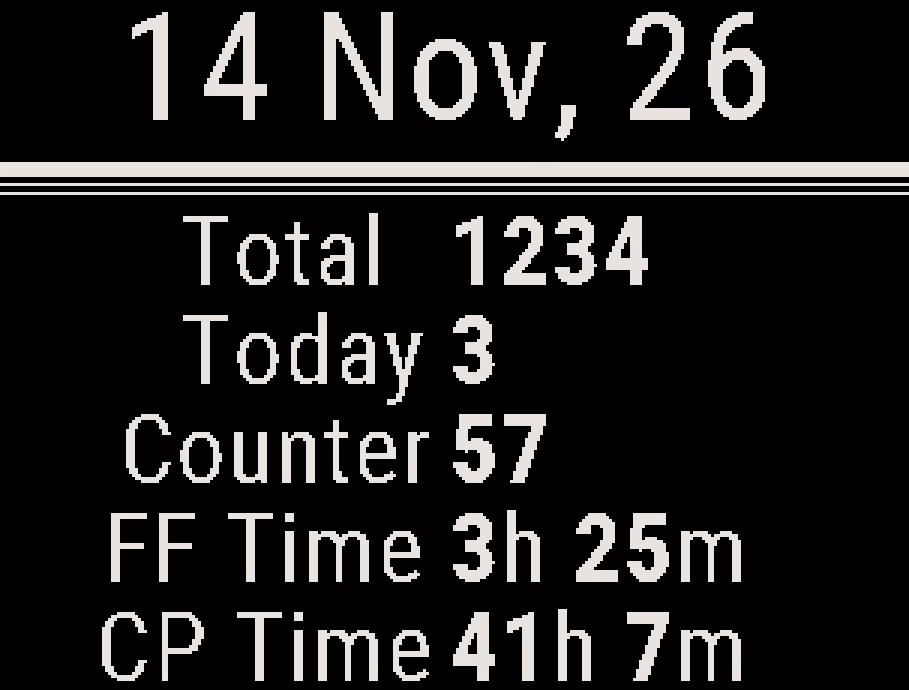

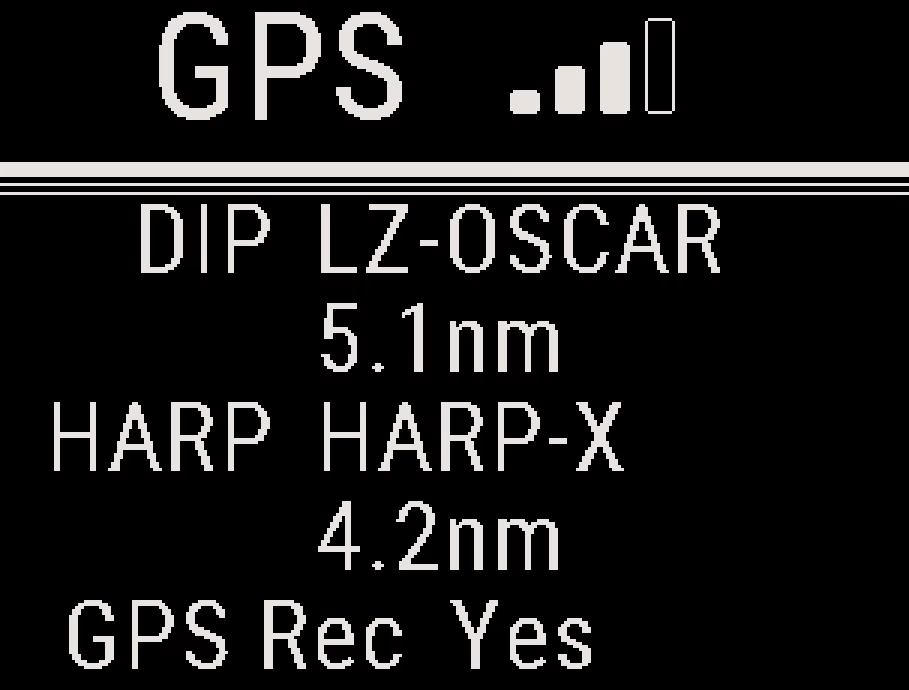
The fifth screen is the Altitude screen. On the ground, it shows your altitude. In the aircraft, it changes to a navigation layout with ground track, ground speed, and the distance and time to the HARP. The Stratos switches to the Altitude screen when it detects the climb, and back to the Home screen after you land. See Altitude Display Configuration.
Battery and Charging #
Battery Life: A full charge lasts about 10 days of jumping, roughly 100 jumps. Battery life depends on the length of each jump and the features you use: GPS recording, wireless connections and the display light use more battery.
Charge Time: The Stratos charges through the USB-C port. A full charge from 0% takes about 1.5 hours. A 20-minute charge is enough for a day of jumping.
USB Power Delivery (PD): The USB-C port accepts USB Power Delivery (PD) chargers and cables.
Battery level: The battery icon on the Home screen shows four bars at 75% or more, and one bar fewer for each quarter used. Below 10%, it shows Low.
- At 5% or less, the GPS turns off to save power and the GPS screen shows Disabled.
- When the battery is nearly empty and the Stratos is on the ground, it shows Low battery and turns off to protect the battery.
- If the inside of the Stratos gets hotter than 75°C (167°F), for example in a hot vehicle, it shows Overheat and turns off.
Care #
The Stratos is built to be tough, but it is an electronic device with a fragile screen. Treat it as you would a smartphone or a smartwatch.
Avoid hard impacts, such as drops onto concrete or hitting the Stratos against metal parts of the aircraft. Store it in its case or another protective case, not loose in a gear bag with hard objects. Clean the screen with a soft cloth.
Storage #
To keep the battery capacity when you store the Stratos for more than a month:
- Store it at a charge between 40% and 60%.
- Store it at 0°C to 35°C (32°F to 95°F).
Lithium-ion batteries lose capacity over time, and storage outside these conditions shortens battery life. Do not store the Stratos with the battery fully discharged, because this can damage the battery.
Device Info #
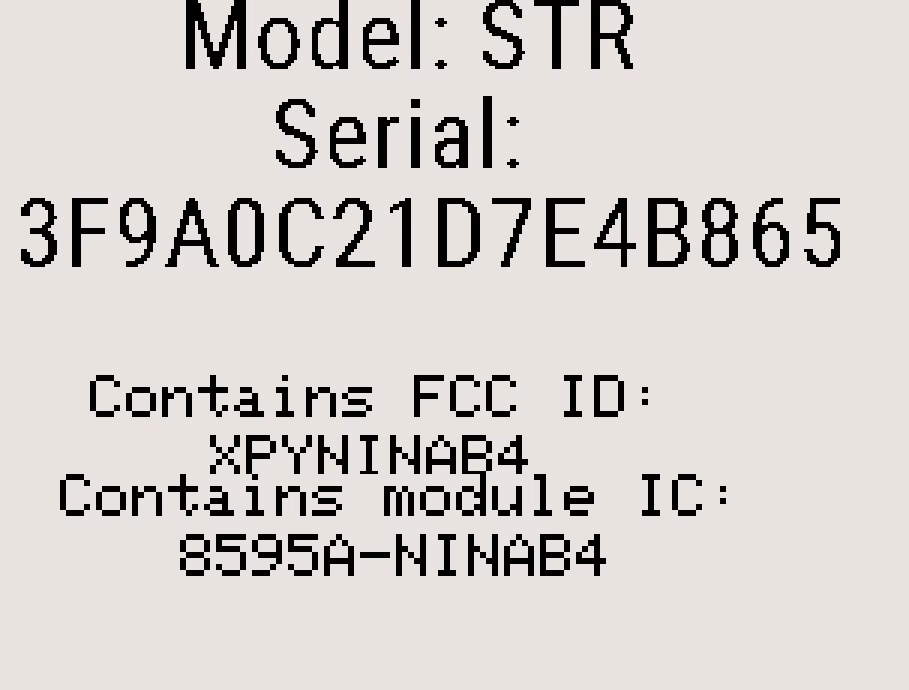
Device Info shows the model, the serial number, and the FCC and IC IDs of the Bluetooth module. From the Home screen, press the center button, and select Device Info. Press the up or down button for a second page of diagnostic values for Deep and Steep support. Press the center button to exit.
Specifications #
General #
| Dimensions | 75mm x 45mm x 17mm (2.9″ x 1.8″ x 0.7″) |
| Weight | 86g (3oz) |
Display #
| Size | 36mm x 28mm (1.4″ x 1.1″) |
| Viewing Angle | 120° x-axis, 120° y-axis |
Power #
| Charge Voltage | 5V DC |
| Charge Port | USB-C (Power Delivery enabled) |
| Charge Time | 1.5 hours |
| Charge Temp Range | 0°C to 55°C (32°F to 131°F). Lithium ion batteries will not charge below 0°C. |
Environmental #
| Max. Altitude MSL | 15,244m (50,000 feet above MSL, based on pressure) |
| Operating Temp | -40°C to 55°C (-40°F to 131°F). Below -20°C (-4°F), tested for up to 30 minutes. |
| Storage Temp | 0°C to 35°C (32°F to 95°F) |
| Water Resistant | Depth of 3.3 ft (1 m) for 30 minutes |


