
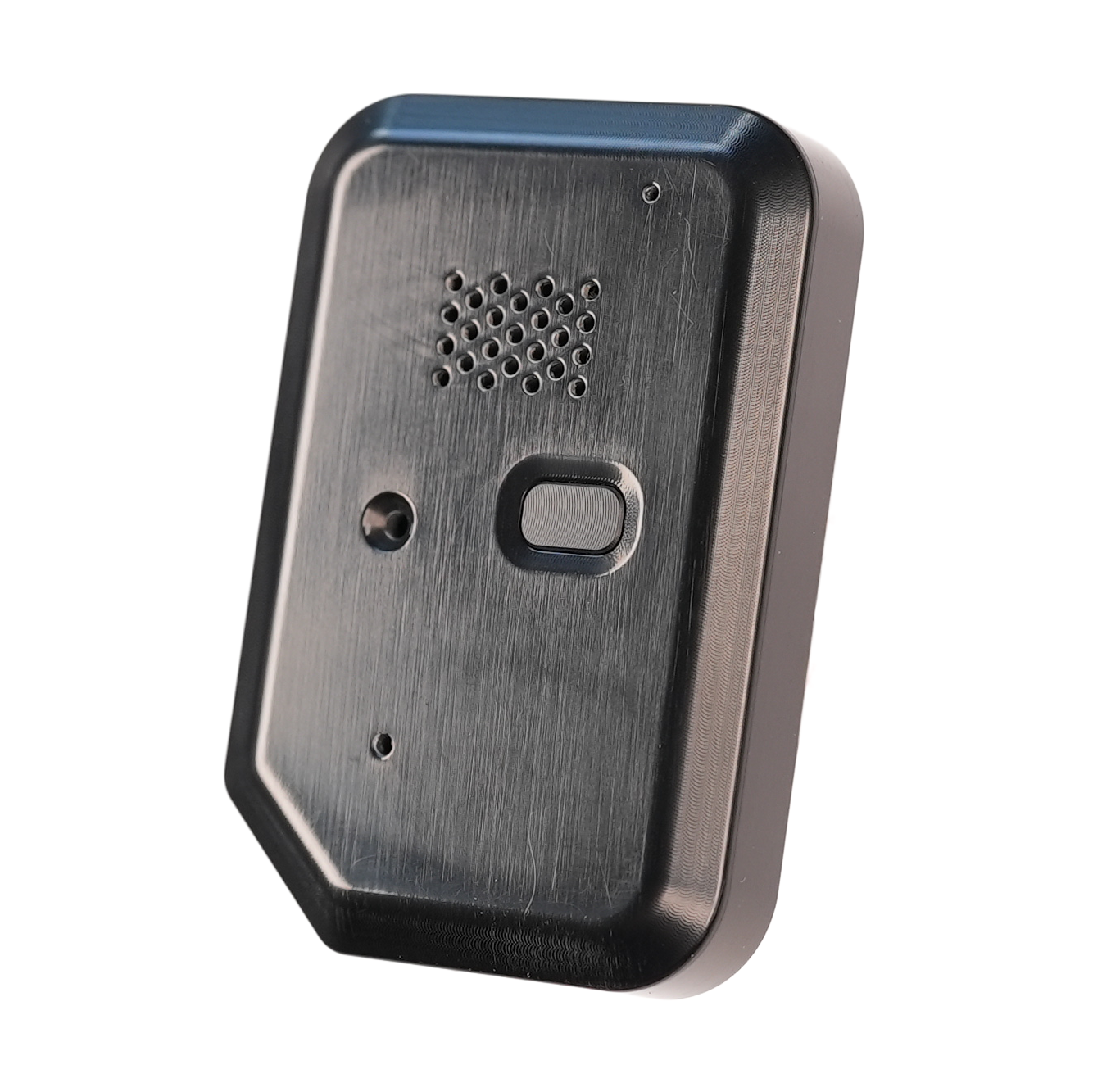
The Soundlink is a pressure altitude audible altimeter that uses alarm tones and voice announcements to aid altitude awareness. Connect to it over Bluetooth from an Insight, Stratos or the Deep and Steep app to change settings and view data.
Standard Dropzone Operation #
The Soundlink is always on. It calibrates itself to the current air pressure and, as the pressure changes with air temperature or passing weather systems, automatically tracks the ground level pressure.
Caution
If you change elevation on the drive to the dropzone, the Soundlink needs time to settle on the new field elevation: up to 10 minutes for an elevation change of less than 1,000 feet, and up to 30 minutes for a larger change. To zero it straight away, perform a forced restart.
When the Soundlink detects ascent in an aircraft it locks the field elevation and begins to track your altitude above ground level (AGL). All of this happens automatically, with no input from you.
Manual Altitude Zeroing (Forced Restart) #
Warning
Do not perform a forced restart while in the aircraft or during a skydive. Reported altitudes will be incorrect.
A forced restart resets the altitude and the field elevation immediately. You need a small pointed object, such as a paperclip.
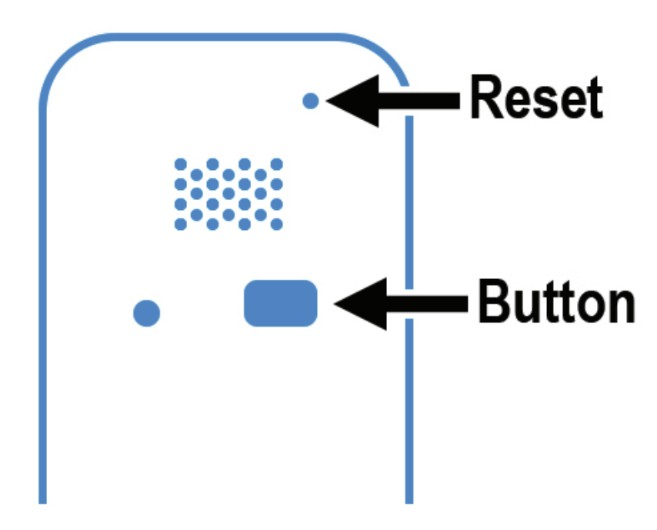
- Insert the pointed object into the small hole in the top right of the case.
- Press the small button inside the hole. The Soundlink restarts.
- Listen for the restart sequence: the Soundlink says “Soundlink”, then announces the battery level. The altitude and field elevation are now reset.
Button, LED and Menu #
The Soundlink has one button and one LED, which together give access to a short spoken menu. Most settings are changed from a connected Insight, Stratos or the Deep and Steep app; see Soundlink Alarms and Announcements and Soundlink Settings.
Using the menu #
- Press the button 5 times within 3 seconds. The LED flashes blue each time a press is recognized.
- Wait for the beep. The menu is now unlocked, and the Soundlink announces the first menu item.
- Tap the button to move to the next menu item.
- Press and hold the button for 1 second to select the current menu item.
The menu locks again automatically after 2 minutes.
Menu options #
| Menu item | What it does |
|---|---|
| 1. Wireless Connect | Turns on Bluetooth for devices that are already paired. |
| 2. Pairing Mode | Turns on Bluetooth and waits for a new device. Pairing a device for the first time requires a passkey. |
| 3. USB Connect | Switches the Soundlink to USB mode, so it appears as a USB drive when connected to a computer with the USB-C cable. The Soundlink does not work as an altimeter while in USB mode. |
| 4. Freefall Preset Selection | Announces the current freefall alarm preset number. |
| 5. Canopy Preset Selection | Announces the current canopy alarm preset number. |
| 6. Preview Alarms | Plays the freefall and canopy alarms. |
Use the two preset options to switch between your saved alarm presets 1 to 4. The presets themselves are set up from a connected device; see Soundlink Alarms and Announcements.
What the LED and sounds mean #
| Signal | Meaning |
|---|---|
| Blue flash | A button press was recognized. |
| Beep | The menu has unlocked. |
| Blue pulse every 4 to 6 seconds | Bluetooth is on (Wireless Connect or Pairing Mode). |
| “Ready to Connect”, repeated every 60 seconds | Bluetooth is on and waiting for a device. Stops once a device connects. |
| “Wireless Connect Off” or “Pairing Mode Off” | Bluetooth has been turned off. |
| “Soundlink”, then the battery level | The Soundlink has just restarted. |
Battery and Charging #
Battery Life: From a full charge, the Soundlink can stand by for up to 12 months. Battery life while skydiving depends on the features in use, such as Bluetooth and how often voice announcements and alarms play.
Charge Time: The battery charges through the USB-C port. From 0%, a full charge takes approximately 1.5 hours.
Tip
A charge of as little as 20 minutes is enough to get through a day of jumping.
USB Power Delivery (PD): The Soundlink supports USB Power Delivery (PD) chargers.
Care #
Your Soundlink takes care of you on your skydives, so take care of it. Treat it like you would a smartphone or smart watch.
- Avoid hard impacts, such as drops onto concrete.
- Store it in the case it came in, or in your helmet, rather than loose in a gear bag with other hard objects.
- Keep dirt, sand, water and other foreign objects out of the speaker holes.
A few simple precautions and your Soundlink should give you years of worry free use.
Storage #
If you are storing the Soundlink for longer than a month, these conditions best preserve the overall battery capacity:
- Store at a battery charge between 40% and 60%
- Store at temperatures between 0°C and 35°C (32°F to 95°F)
Caution
Lithium ion batteries in any device lose capacity over time, and long term storage outside the conditions above shortens the battery life further. Never store the Soundlink with the battery completely discharged: this can damage the battery and degrade its capacity.
Specifications #
Model: SOUNDLINK
General #
| Dimensions | 58mm x 39mm x 10mm (2.3″ x 1.6″ x 0.4″) |
| Weight | 32g (1.1oz) |
Speaker #
| Maximum Volume | 102 dB |
Power #
| Charge Voltage | 5V DC |
| Charge Port | USB-C |
| Charge Time | 1.5 hours |
| Charge Temp Range | 0°C to 55°C (32°F to 131°F). Lithium ion batteries are damaged if charged below 0°C. |
Environmental #
| Max. Altitude MSL | 9,146m (30,000 feet above MSL, based on pressure) |
| Operating Temp | -20°C to 55°C (-4°F to 131°F) |
| Storage Temp | 0°C to 35°C (32°F to 95°F) |
| Water Resistant | None |


